# Send Email

This is a pre-built action in Avo Assure and comes under **@Email Element.** The functionality of this action in Avo Assure is to send an email to the receiver.

### Syntax&#x20;

**Input Value:** `N/A or (optional-Ignore Subject)>`

| Argument                                  | Description                                                                 |
| ----------------------------------------- | --------------------------------------------------------------------------- |
| N/A                                       | No input is required to send the email if the subject is already specified. |
| <p>\<Ignore Subject></p><p>(Optional)</p> | Optional input to bypass the Outlook warning for missing email subject.     |

{% hint style="warning" %}
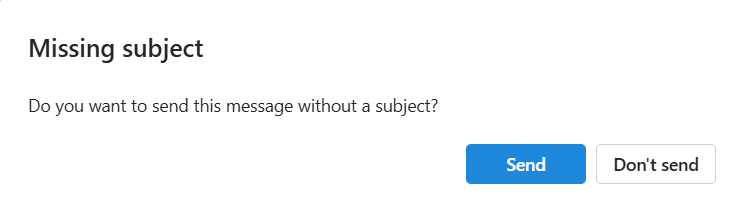
**Note:** If you attempt to send an email without specifying a subject, a pop-up will appear asking if you still want to send the email without a subject. To bypass this prompt, you can provide the input "**ignore subject**.
{% endhint %}

**Output Value:**

<table><thead><tr><th valign="top">Argument </th><th valign="top">Description </th></tr></thead><tbody><tr><td valign="top">&#x3C;Dynamic Variable>(Optional);&#x3C;Dynamic Variable>(Optional)</td><td valign="top">This dynamic variable holds the status of the action as <strong>True</strong> or <strong>False</strong>.</td></tr></tbody></table>

**Example 1**

**Sends the composed email in the Outlook application using optional parameter**&#x20;

The **Send Email** action takes the value from the Input Value column (e.g., **Ignore Subject**) and performs the send operation for the drafted email in Outlook. If no subject is provided, a confirmation pop-up appears. To bypass this pop-up and send the email without a subject, input the value **Ignore Subject**.

<figure><img src="/files/1mtdxKo7Xju7aoh3QUTd" alt="" width="557"><figcaption></figcaption></figure>

<figure><img src="/files/2fAnpO9ZlaaV5bPePSu1" alt=""><figcaption></figcaption></figure>

**Example 2**

**Sends the composed email in the Outlook application**

The **Send Email** action sends the composed email in Outlook. If the subject is already specified in the email then, no input value is required.

<figure><img src="/files/7T5k3VvhjHMrH3RZF4bq" alt=""><figcaption></figcaption></figure>


---

# Agent Instructions: Querying This Documentation

If you need additional information that is not directly available in this page, you can query the documentation dynamically by asking a question.

Perform an HTTP GET request on the current page URL with the `ask` query parameter:

```
GET https://docs.avoautomation.com/avo-assure/actions/desktop/email/send-email.md?ask=<question>
```

The question should be specific, self-contained, and written in natural language.
The response will contain a direct answer to the question and relevant excerpts and sources from the documentation.

Use this mechanism when the answer is not explicitly present in the current page, you need clarification or additional context, or you want to retrieve related documentation sections.

