# Project mapping in vertical
Project mapping in Avo Assure is needed to associate a project with specific security groups. This ensures proper organization of test assets, user roles, and access controls within the defined structure. It helps manage collaboration, execution scope, and visibility of test cases in a structured and secure way. Without project mapping, test management across teams and domains can become unorganized and inefficient.
### Step by step process to map project with vertical:
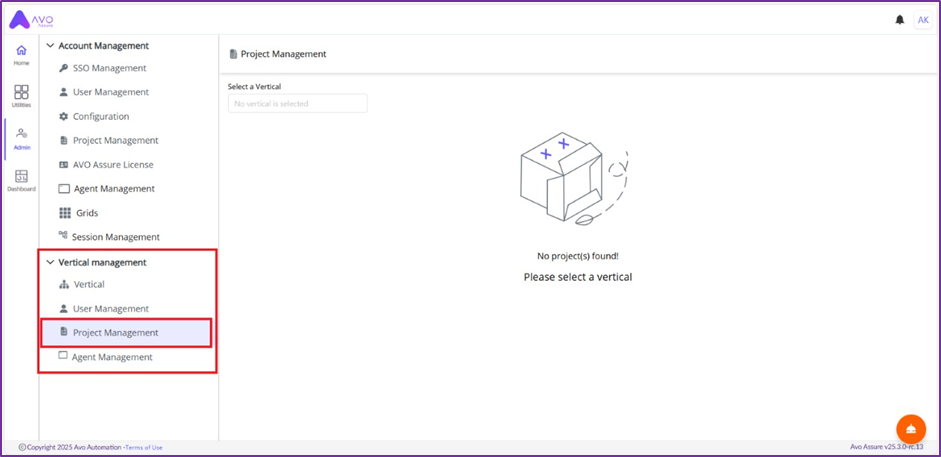
1\. Click Project Management
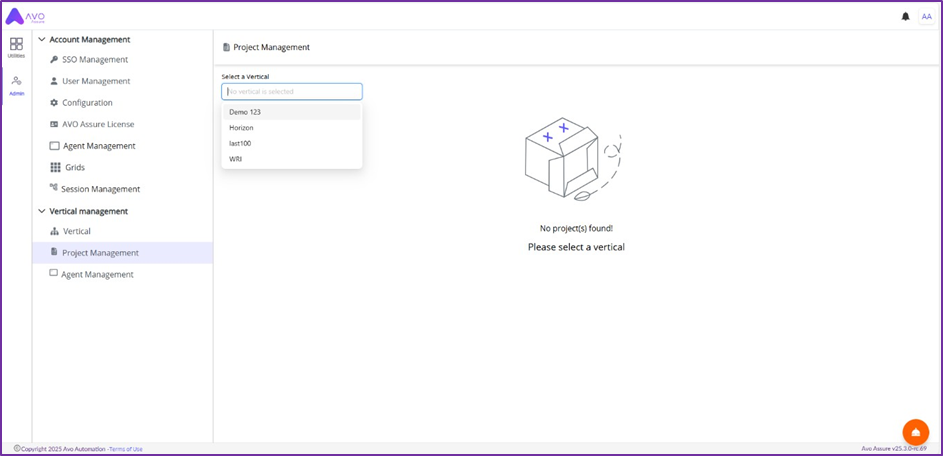
2. In Project Management window, select vertical
3. Click Map more button
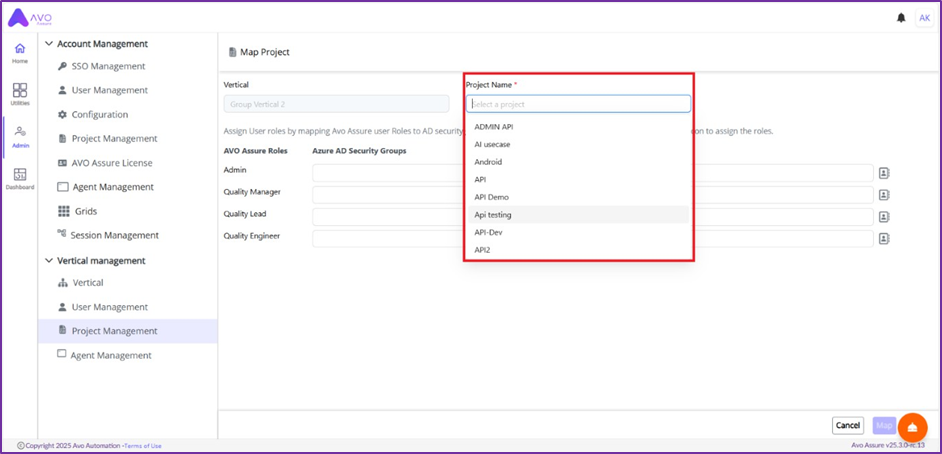
4. Select Project name
5. Click directory icon and select Security Group
6. Click Add button to assign Security Groups to Avo Assure Roles
7. Click Map button
### Example:
As illustrated in the screenshot above, within the Horizon vertical, the AvoManagers security group is assigned the Quality Manager role for the API Testing project. When a user from the AvoManagers security group logs into their Avo Assure account, they will have access only to the API Testing project under Group Vertical 2 as a Quality Manager. They will not be able to view any other projects.